LG Espaces Verts
A showcase site designed to turn a local search into a quote request — with a complete, purpose-built management area behind the scenes.
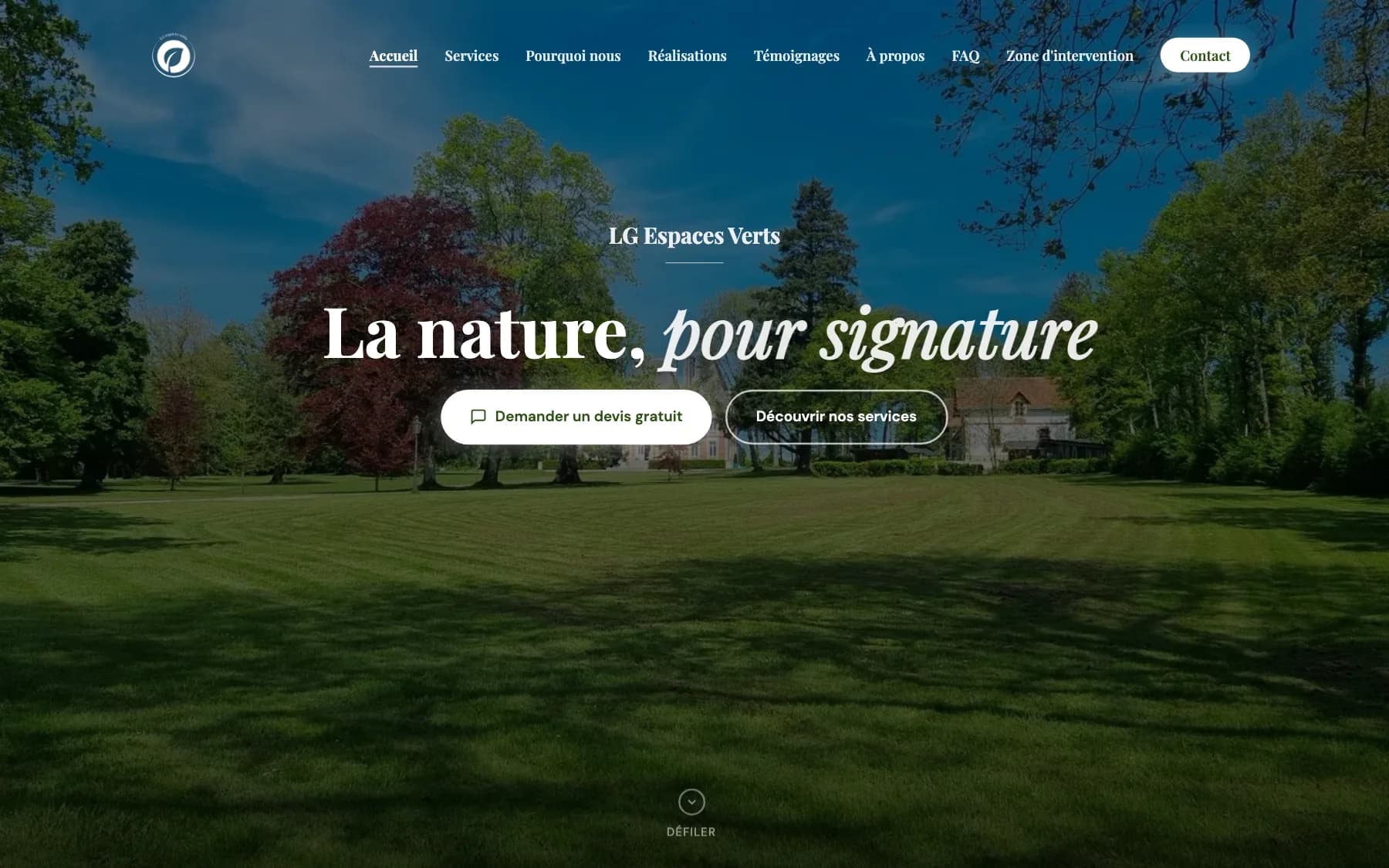
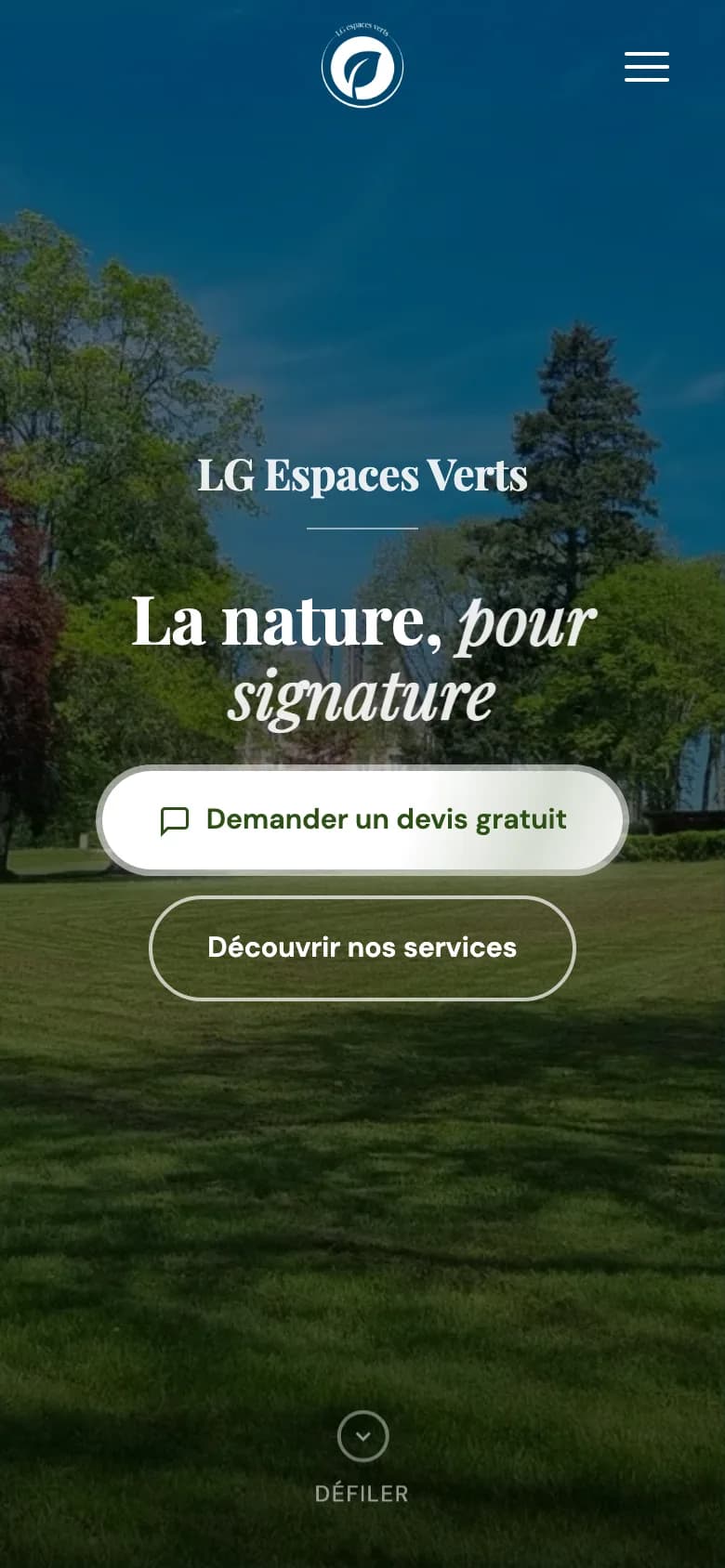
Where it started
A landscape gardener based in Chaon, in the Sologne region of France: mowing, lawn seeding, hedge trimming, brush clearing and tree pruning, within a 30 km radius. His customers search on Google, compare within seconds, and either call — or move on. So the goal was never to have 'a website', but a website that wins quote requests.
Everything was built around one promise, visible everywhere: a free quote within 48 hours. But a promise like that isn't kept with good intentions — it's kept with organisation: every request has to be seen, priced and sent back fast, even from the job site.
That's where the project goes beyond a showcase: hidden behind the site is a complete management area, invisible to visitors, that follows every request from the first click to the revenue to declare.
What the site had to do
- Turn a local Google search into a quote request
- Build trust with real projects and real testimonials
- Let visitors check for themselves whether they are in the service area
- Give the craftsman what he needs to answer within 48 hours — every time
Visitor side: a showcase that converts
A bespoke green-and-cream one-page design, built around real photos of real projects — no stock imagery.
Five educational services
Mowing, lawn seeding, hedge trimming, brush clearing, tree pruning: each service explains what is included and how the craftsman works.
Service-area checker
Visitors type their town or postcode: the map computes the actual route and instantly confirms whether their property is covered.
A complete quote form
Structured to produce actionable enquiries, protected against spam and GDPR-compliant.
Localised testimonials
Real reviews from local customers, submitted on the site and moderated before publication.
An FAQ that answers real questions
Including the one that changes everything for the customer: France's 50% home-services tax credit.
A living project gallery
The craftsman adds his own photos: the showcase keeps evolving without depending on anyone.
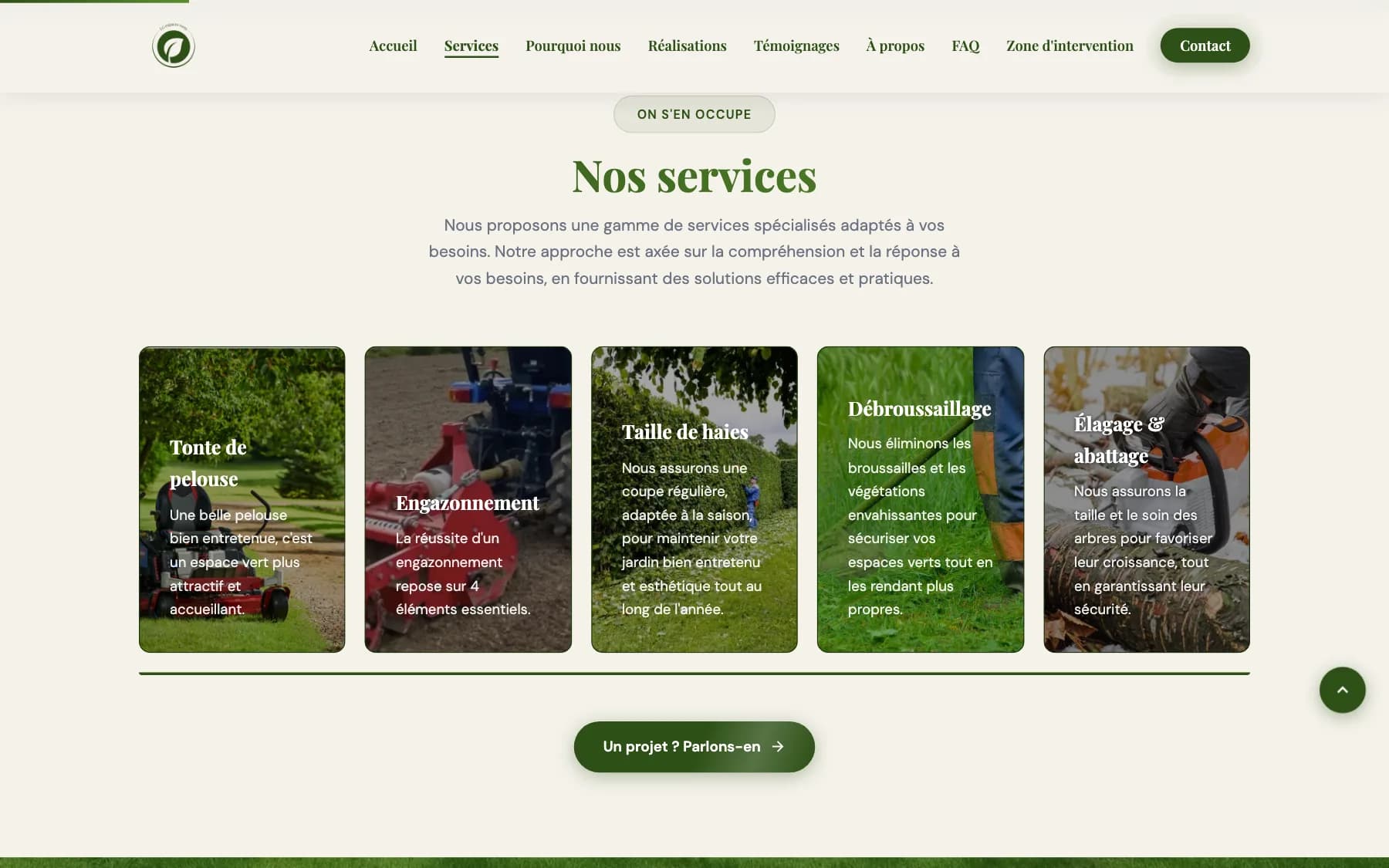
The five services, presented with real photos from real projects.
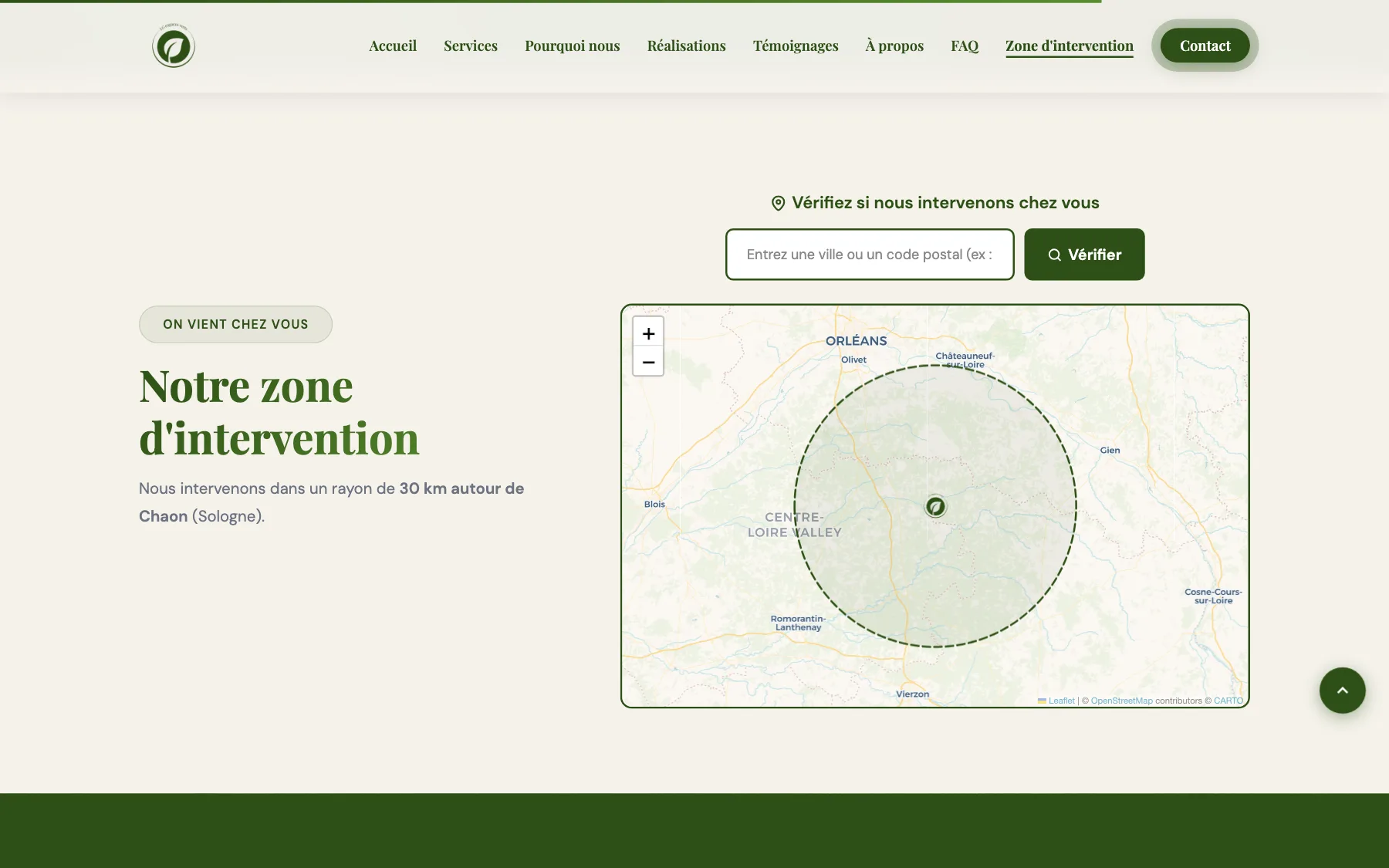
"Does he come out to my place?"
It's the first question any local customer asks — and the site answers it on its own. Visitors type their town or postcode, the map computes the actual route from Chaon and instantly confirms whether their property is covered.
One less doubt, one less pointless phone call — and better-qualified quote requests.
Behind the scenes: the craftsman's office
Invisible to visitors, reserved for the craftsman: a complete management area, purpose-built for his business, usable from his phone on the job site or in the evening at home. It's what makes the 48-hour promise possible. Real screenshots of the interface — demo data.
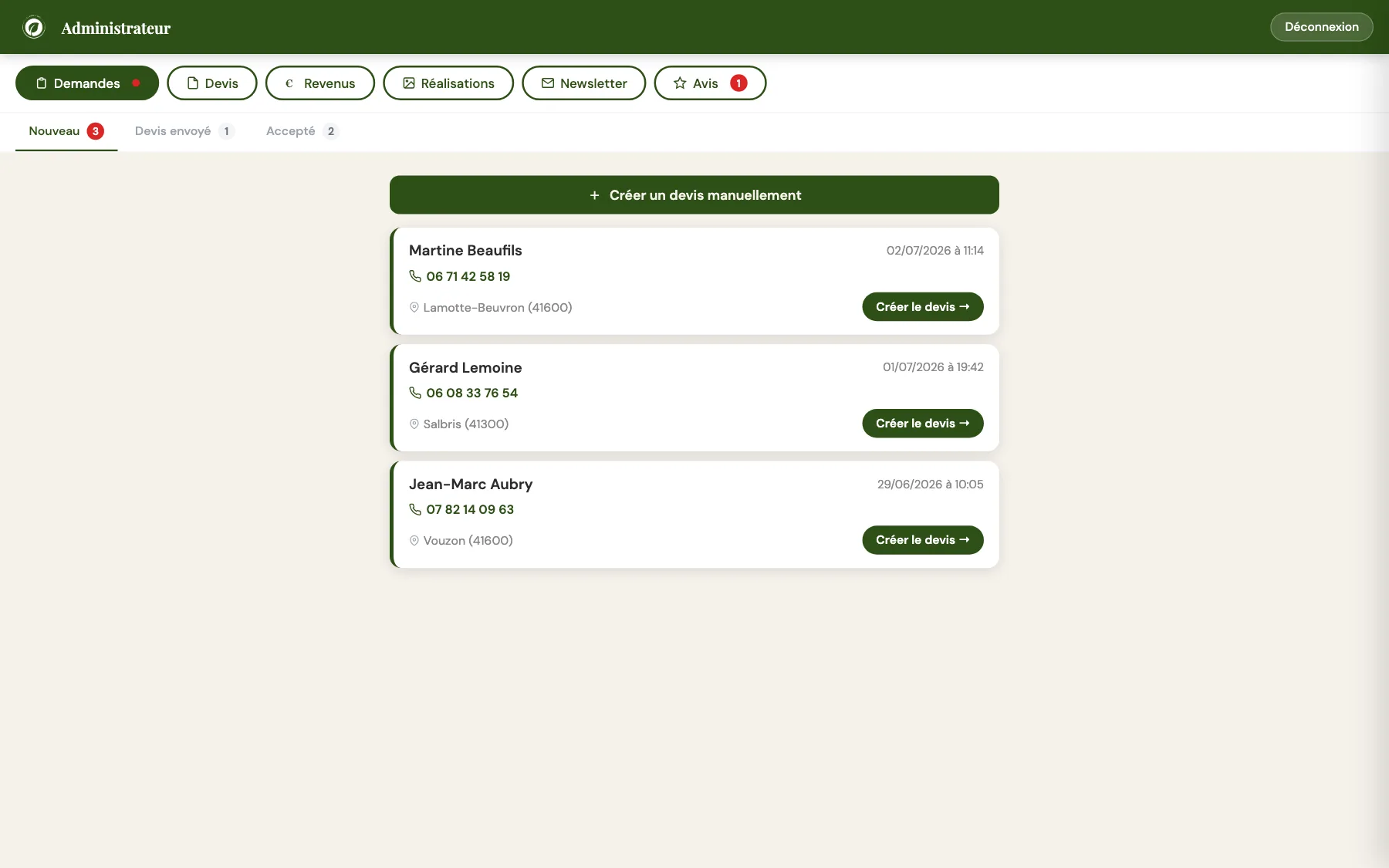
Requests arrive already sorted
Every form submitted on the site becomes a card: name, phone, town, message. Three queues — new, quote sent, accepted — and a red dot whenever something is waiting.
The phone number is clickable: on mobile, the craftsman calls the customer back in one tap.
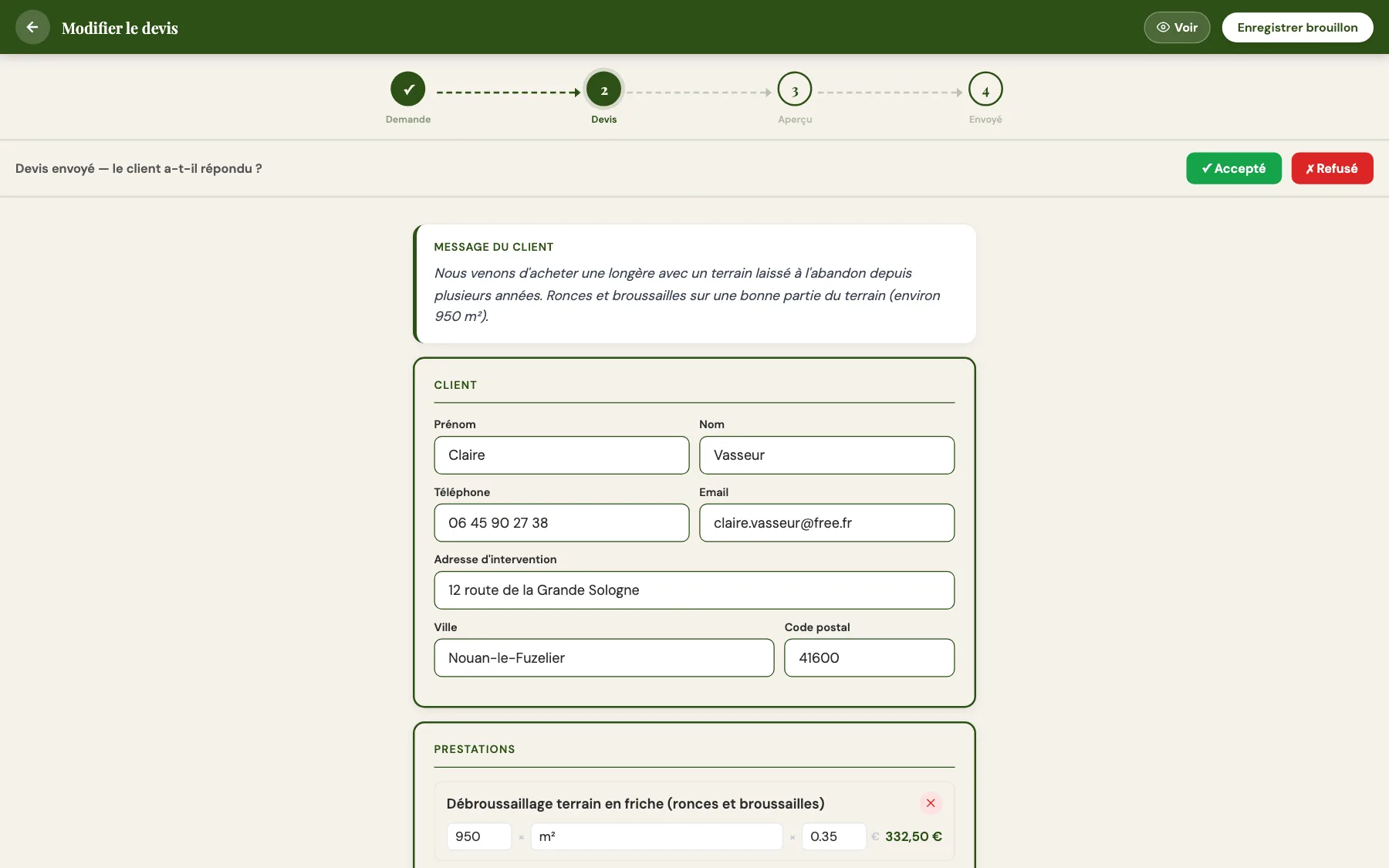
The quote almost writes itself
One click on 'Create the quote' and everything is already filled in: the customer, their details, their message. All that's left are the line items — typed freely or picked from his price library.
The total updates live, French CESU withholding included: the craftsman sees both his net and the total billed to the customer.
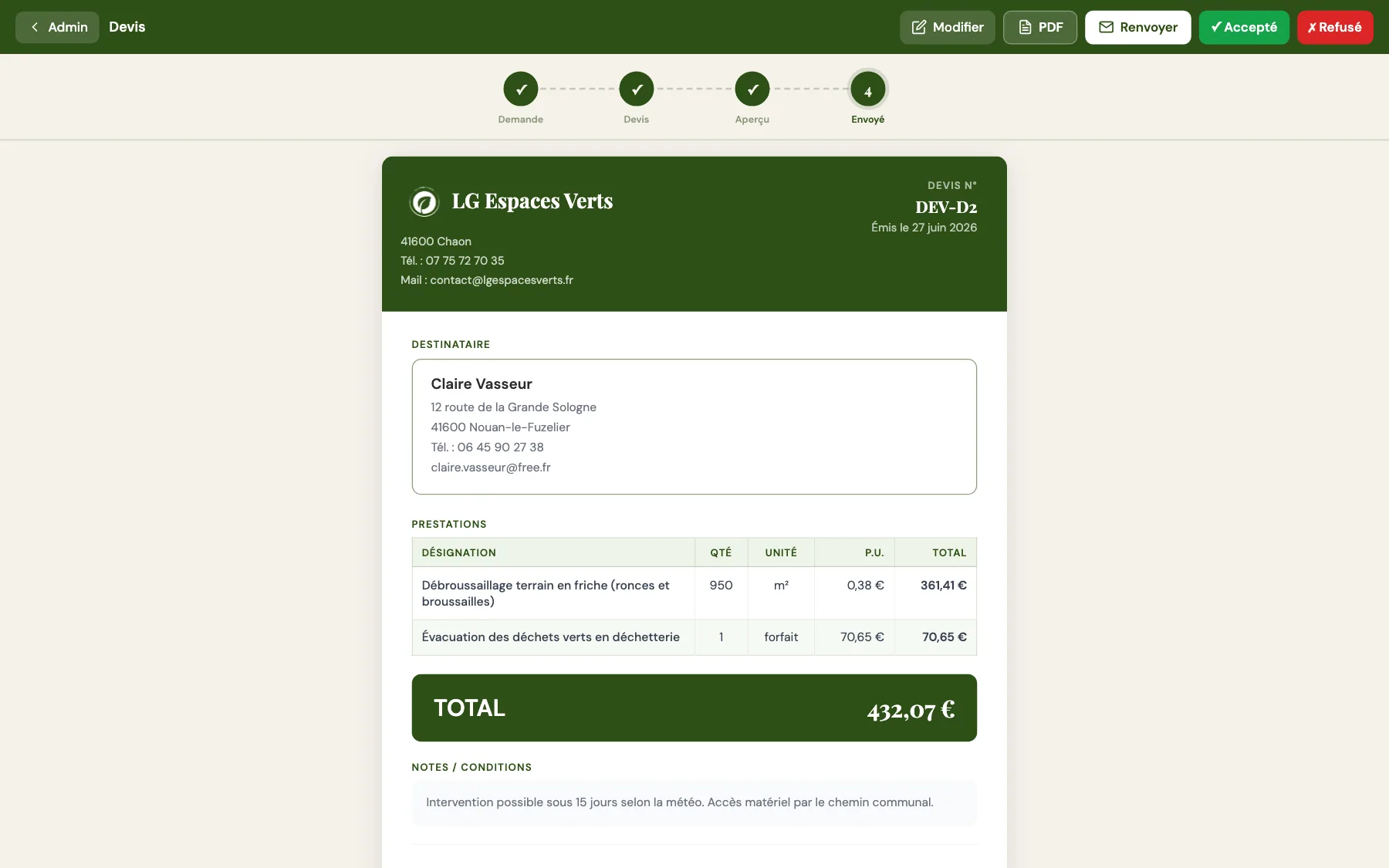
A quote he can be proud of
The customer receives a real quote page in the company colours: numbered, itemised, downloadable as a PDF, sent by email in one click.
No more scribbled quotes or PDFs cobbled together in Word: the image he projects is that of a professional.
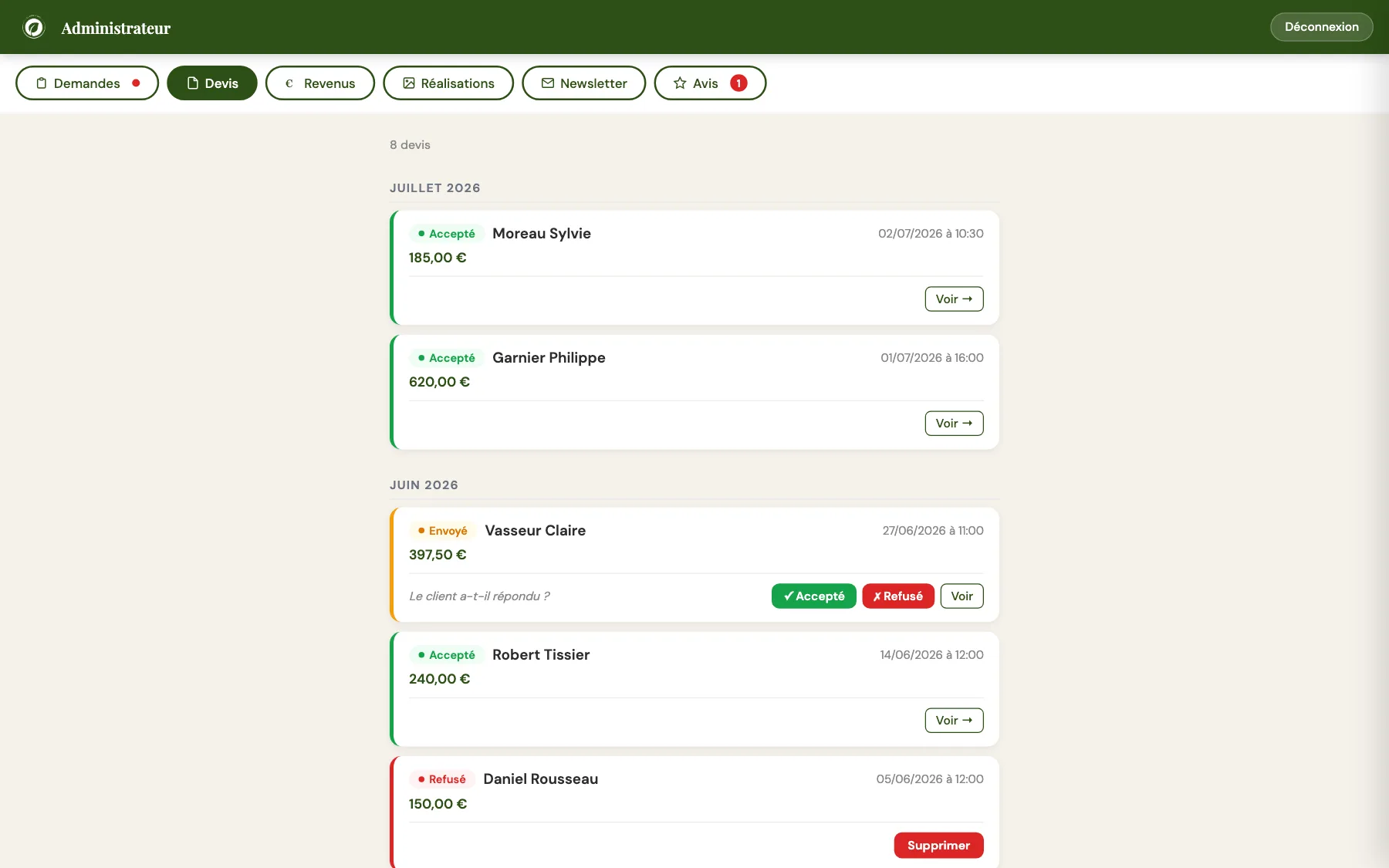
Follow-up that lets nothing slip
All quotes, grouped by month, with colour-coded statuses: draft, sent, accepted, declined. And under every sent quote, one simple question: 'has the customer replied?'
Two buttons to close it out. Following up becomes a reflex, not a chore that drags on.
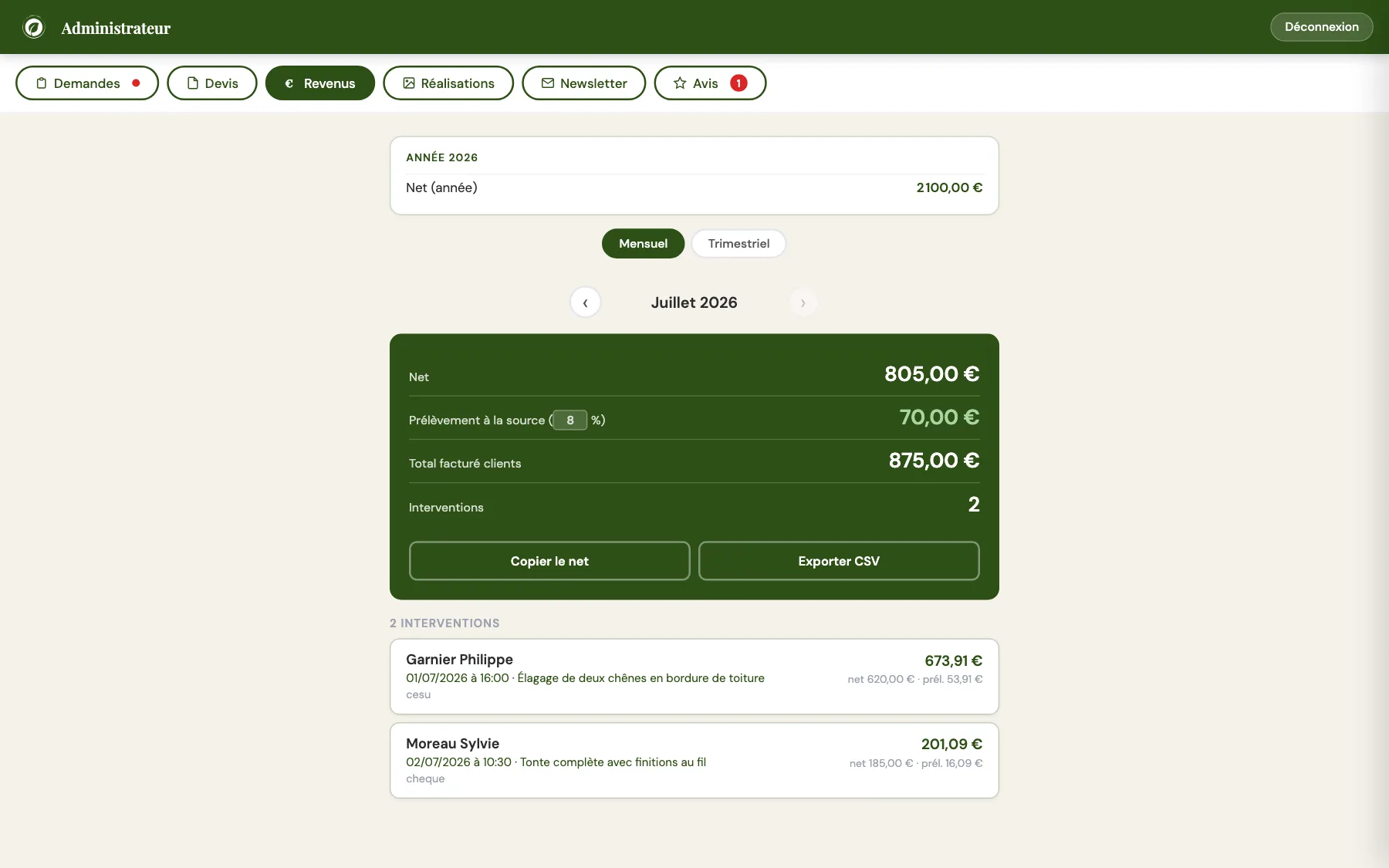
Tax paperwork, pre-chewedCESU
Every accepted quote feeds the Revenue tab: net for the craftsman, withholding, total billed — month by month or quarter by quarter.
A 'Copy the net' button for the declaration, a CSV export for bookkeeping. The paperwork takes two clicks.
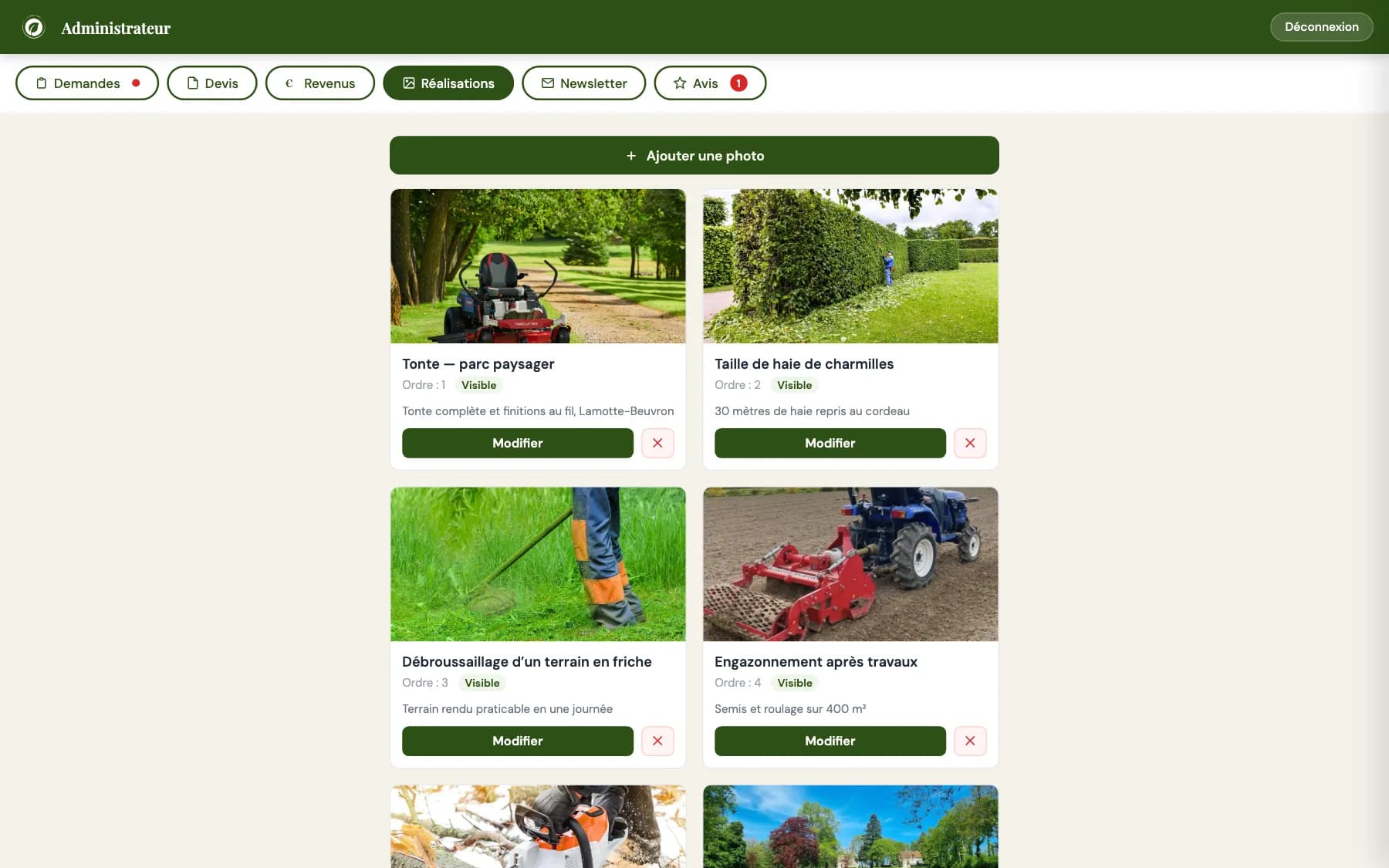
The gallery updates with photos
A photo taken on his phone at the end of a job, a title, a caption — and the public showcase displays the new project seconds later.
Visible or hidden, display order: everything is managed from the grid, without touching code.
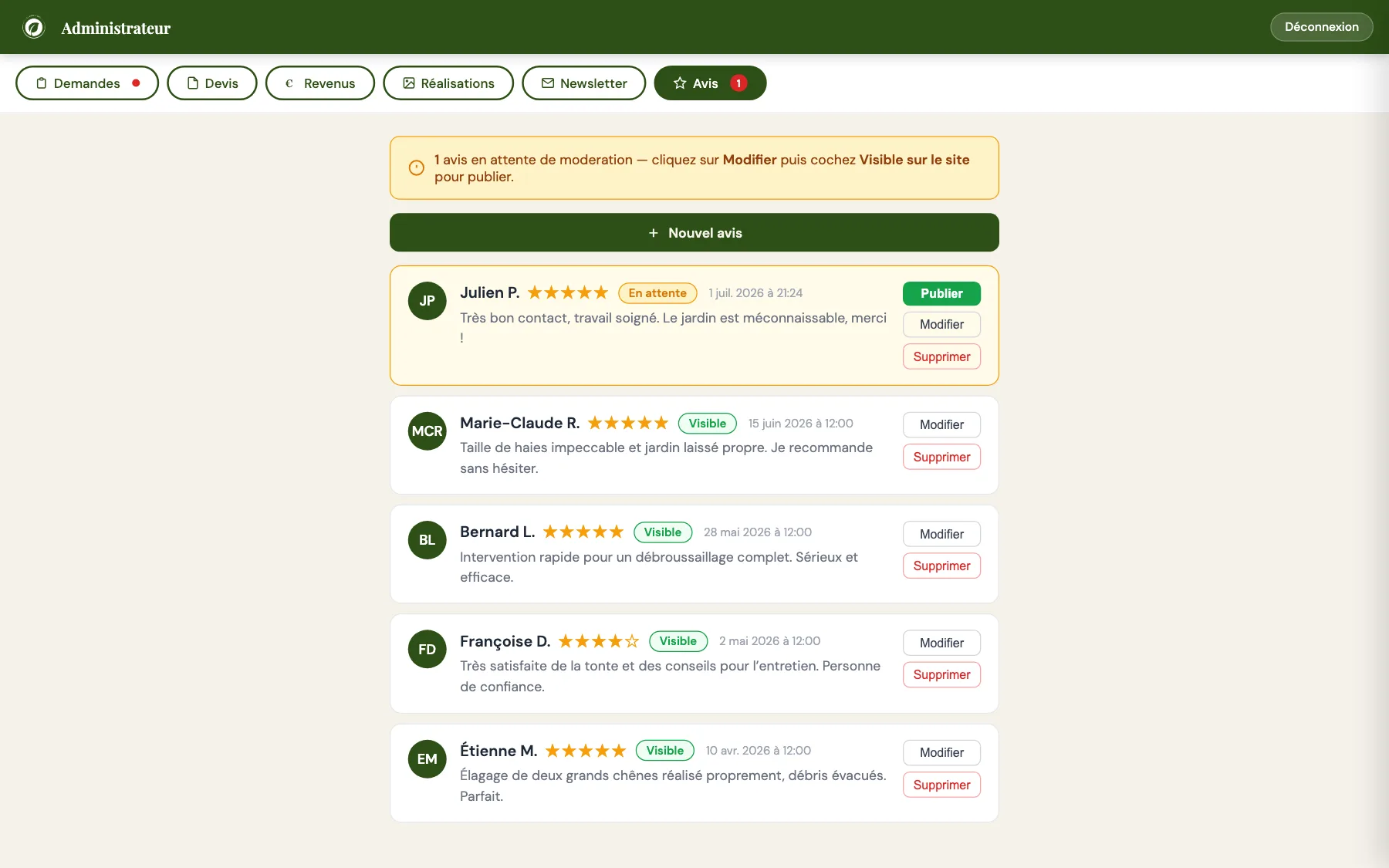
Reviews, moderated before publication
Customers submit reviews from the site; nothing goes live without approval. A banner flags what is waiting, one click publishes.
The craftsman can also type in reviews received by text or in person — the most common kind for tradespeople.
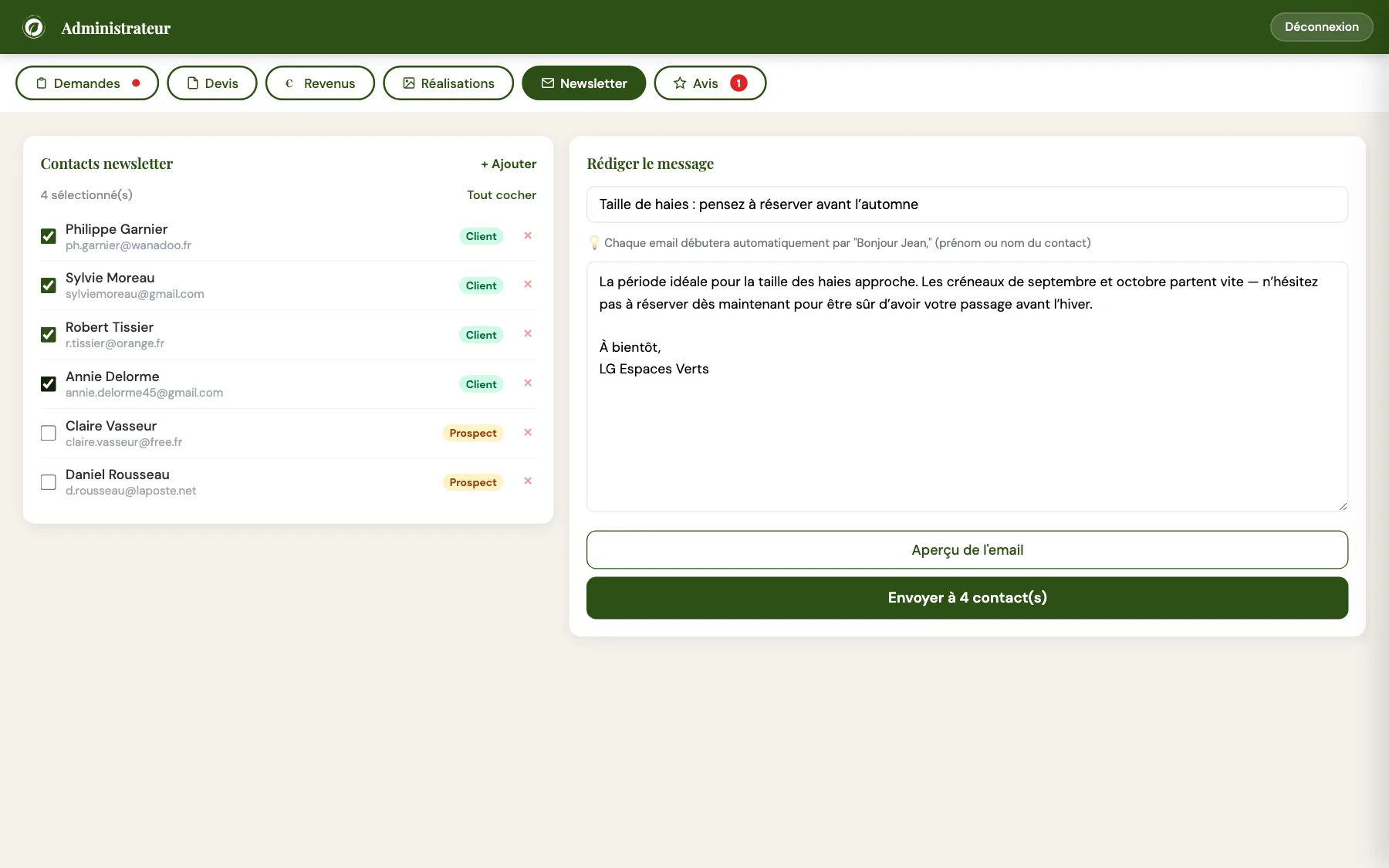
A newsletter without yet another subscription
The contact book builds itself as quotes come and go, tagged customer or prospect. The craftsman ticks, writes, sends — and every email opens with the recipient’s first name.
Enough to fill the order book before each season: hedge trimming before autumn, mowing in spring.
All of it designed to be used with gardening gloves barely off: big buttons, clear queues, the vocabulary of the trade — and zero tech jargon.
Everything under one roof
A showcase site on one side and management software on the other? No: one site that does both.
One site that replaces everything
- A local showcase with a quote form and service-area checker
- A management tool: requests, PDF quotes, follow-ups
- Revenue tracking and help with French CESU declarations
- A project gallery managed with photos
- A built-in newsletter and review moderation
Compliance & sobriety
- GDPR-compliant form, protected against spam
- A static site, very fast, designed mobile-first
- Carefully configured security headers
- As comfortable on the craftsman's phone as on his customers'
What if it had been done "the usual way"?
Off-the-shelf solutions are perfectly fine, and that's not the point. The point is what you own at the end — and what you pay every month just to keep existing.
The classic stack
Covering the same ground with off-the-shelf tools would have meant assembling:
- A template-based showcase site, plus a theme to customise
- Subscription-based quoting and invoicing software
- A paid emailing tool for the newsletter
- A third-party review widget, a spreadsheet for the tax returns…
- Stacking subscriptions and data scattered across four tools that ignore each other
The Obrentis way
One site, built for his craft:
- Showcase, quotes, revenue, gallery, reviews, newsletter: everything is integrated
- An admin area in his language, in the vocabulary of landscaping
- Features no template offers, like the CESU helper or the service-area checker
- No third-party module subscriptions
- He owns the code and the data: nothing is locked in
a project in mind?
Describe your need in one sentence. I'll tell you if it's doable — and what it costs.